Which apps used your mic, camera, and location. On the record.

Every time an app uses your mic, camera, or location, AppInsight records it. Which app, when, and for how long, laid out on a timeline you can scroll back through.

verified
Works completely offline. AppInsight never connects to the internet, so what happens on your phone stays on your phone.
verified
Ready in seconds. No sign ups, no emails, no passwords. Download it, open it, and start monitoring.
verified
Nothing hiding inside. A privacy app with trackers in it would be a joke. This one has none, and never will.
verified
Your record, yours alone. Nobody else can read it. AppInsight seals its logs with hardware-backed AES-256 encryption.
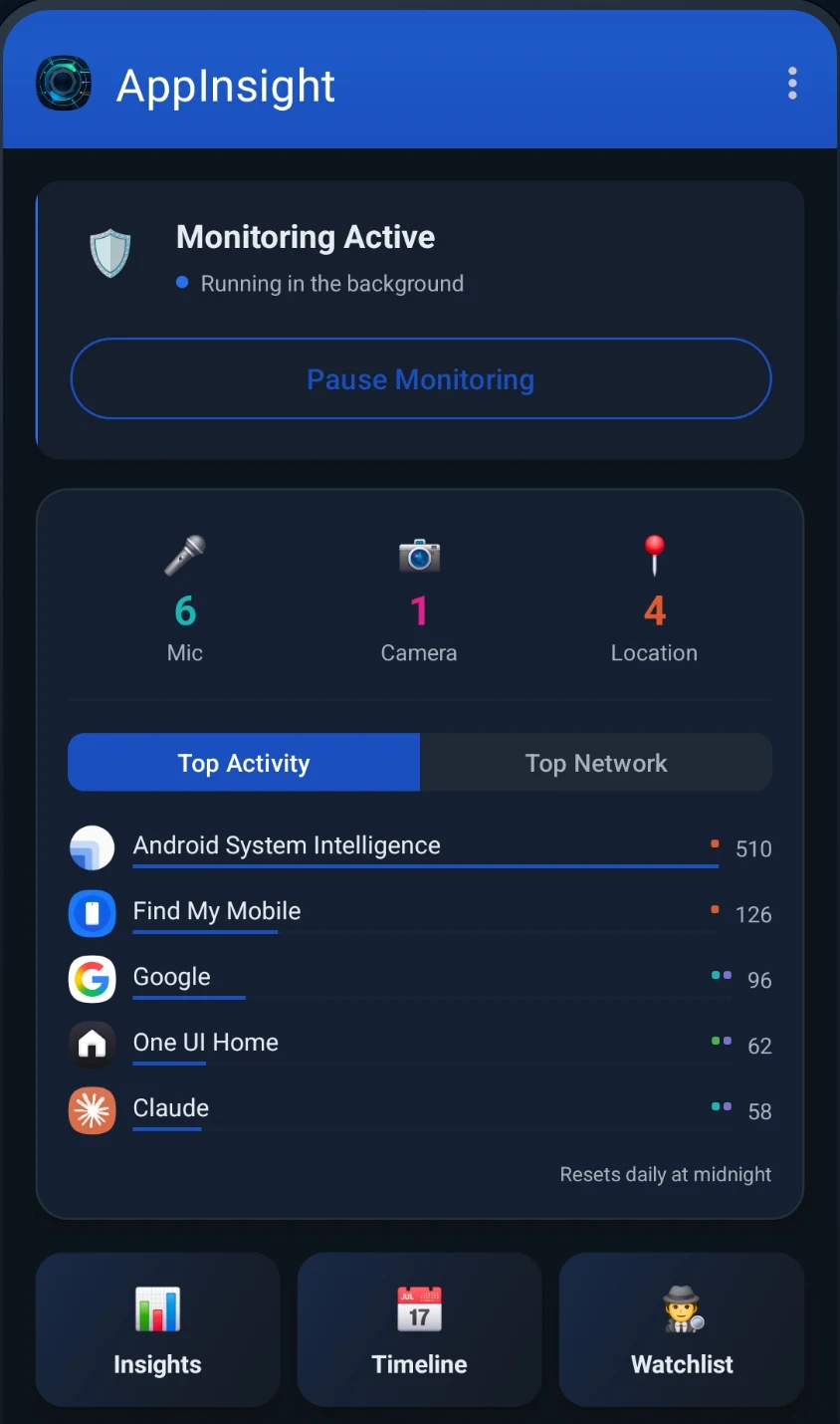
The AppInsight dashboard showing monitoring active, today's sensor counts, and the most active apps
the dashboard

Watch your sensors in real time.

Open the app and the day so far is right there. Monitoring status, today's count for each sensor, and which apps have been busiest. Resets at midnight.

two ways to run it

Works out of the box. Sharper with Shizuku.

Nothing to set up. Install it and every mic, camera, and location access starts landing on your timeline. When you want the full picture, a free tool called Shizuku unlocks the exact app behind every single event.

Standard

no special access needed
  • Every access recorded the moment it happens, with how long it lasted
  • The app named whenever Android says who it was, which covers most everyday apps
  • System apps often keep their name hidden behind Android's own plumbing. When that happens, you still see the mic, camera, or location in use, just without a name attached.

Privileged Recommended

with Shizuku or root
  • Sees inside Android's plumbing, so every mic and camera event gets the exact app named, system apps included
  • Location requests tied to the app that made them
  • See when your voice assistant wakes up and starts listening
Shizuku is free, open source, and works without root.Learn about Shizuku →
insights

See what runs while you're asleep.

The timeline is the raw record. Insights turns it into patterns, and every pattern opens up. Tap a square on the heatmap for the apps behind it, then tap an app for its whole week.
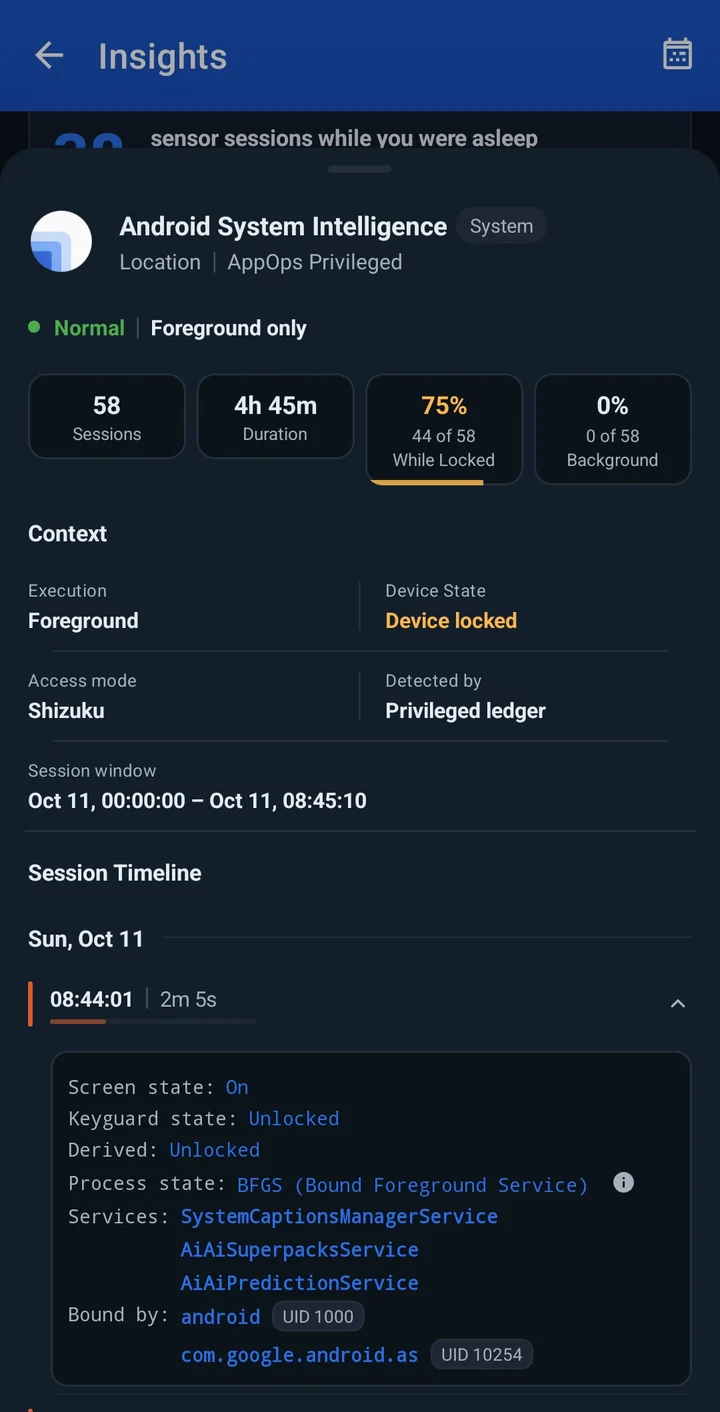
Android System Intelligence location activity with a session expanded, showing screen state, lock state, process state, and running services
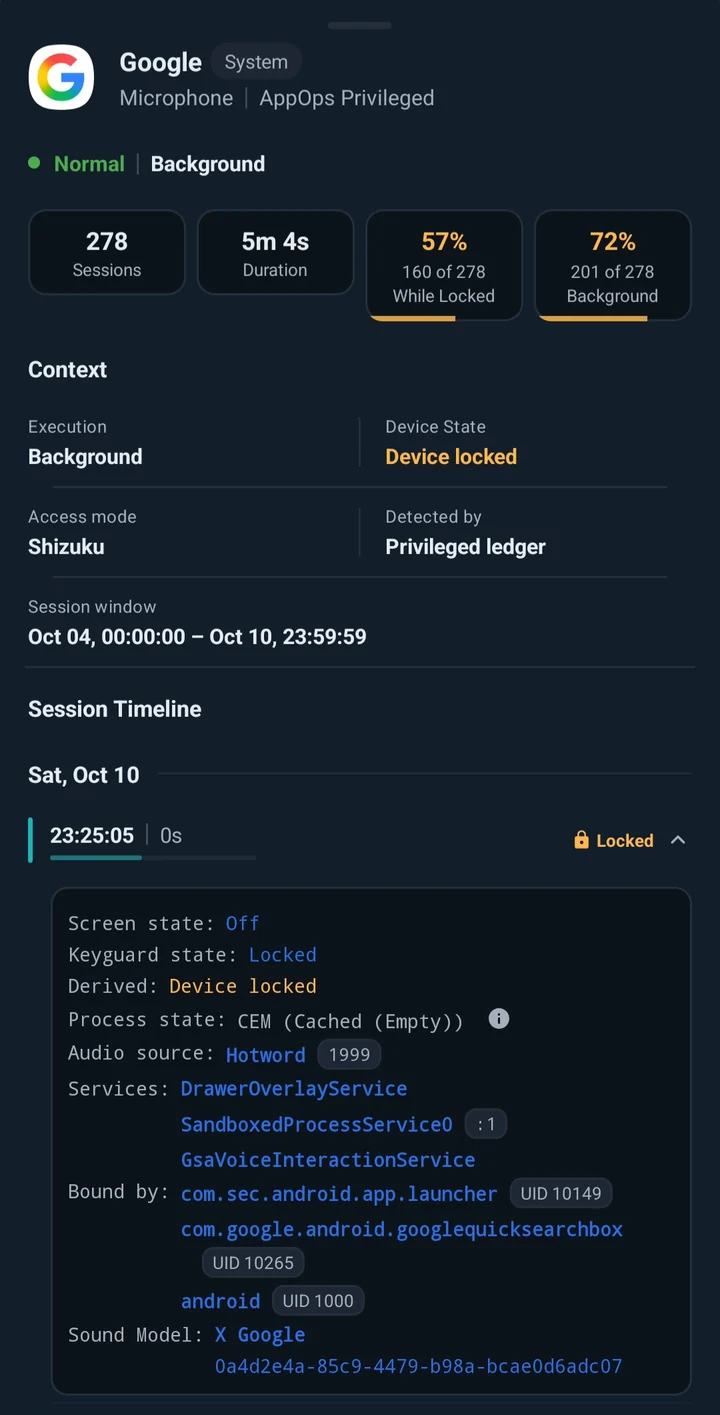
Google microphone activity with a session expanded, recorded with the screen off and the phone locked, showing a hotword audio source and the sound model in use
deep dive

Every app, down to the session.

Insights gives you the numbers. Tap any app and you get the sessions behind them, each one with the screen state, the lock state, and what was running at the time.

one week on our own test phone 278mic sessions from Google
160while the phone was locked
201in the background
Voice assistant wake upsEach one on the record, with the sound model it used.
what gets recorded

Who touched the sensor. Never what it captured.

AppInsight records that an app used your location, never where you were. Same for the mic and camera: who used them and when, never what was said or seen.

stored   app name, sensor, time, duration
stored   how Android reported it
never    your coordinates or movement
never    audio, images, or call content
never    anything sent off the device
questions

Straight answers

Is this a permission manager?

No. Android already lets you grant and revoke permissions. AppInsight shows you what apps actually did with the permissions they hold, which is the part Android buries.

Do I need root?

No. It works out of the box. If you want every event named, system apps included, Shizuku gets you there without root.

What is Shizuku?

A free, open source tool that lets apps like AppInsight see deeper into Android. You set it up once, no root and no computer needed, and AppInsight walks you through every step.

Why should I trust this?

Don't trust it, check it. AppInsight ships without internet permission, which means Android will not let it send anything anywhere. That is not a promise we're making, it is how the app is built.